otter.plotting.save_figure
- otter.plotting.save_figure(fig: Any, output_stem: str | Path, *, formats: Sequence[str] | str = ('png', 'pdf'), dpi: int = 300, tight: bool = True, pad_inches: float = 0.03, close: bool = False, **kwargs: Any) dict[str, Path][source]
Save matching raster and vector copies of a figure.
- Parameters:
fig – A Matplotlib figure.
output_stem – Destination without a suffix. A trailing
.pngor.pdfis accepted and removed before all requested formats are written.formats – Output suffixes. The default writes a 300 dpi PNG and a vector PDF.
dpi – Raster resolution. Matplotlib also uses this value for any rasterized artists embedded in the PDF; vector lines and text remain vector.
tight – Use Matplotlib’s tight bounding-box calculation. Set this to
Falsewhen exact physical dimensions are more important than trimming.pad_inches – Padding used with a tight bounding box.
close – Close the figure after every requested file has been written.
- Returns:
dict – Mapping from lowercase format name to the written path.
Examples using save_figure
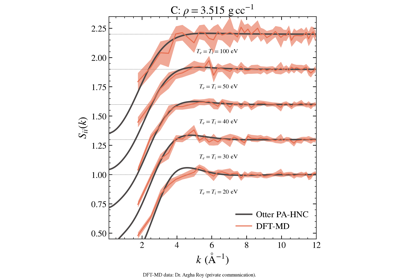
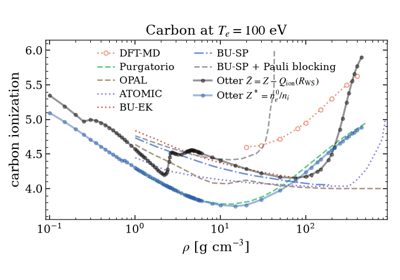
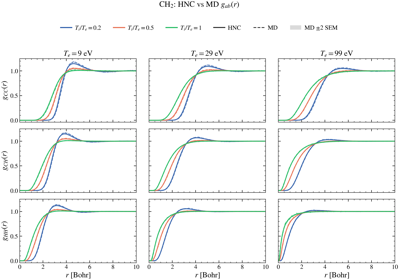
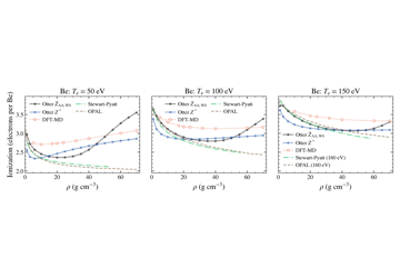
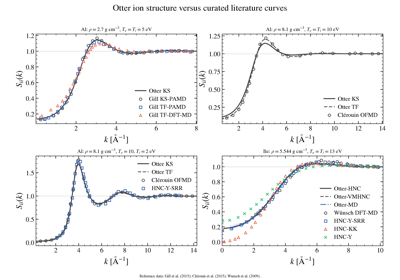
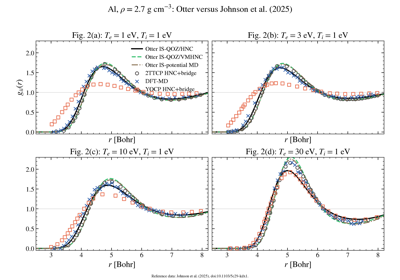
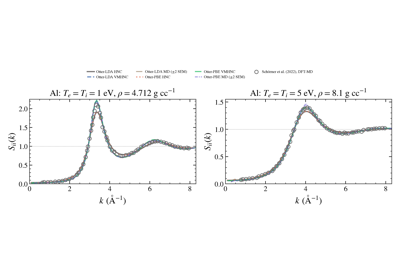
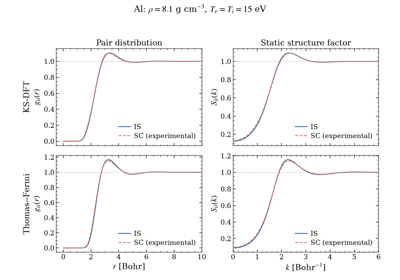
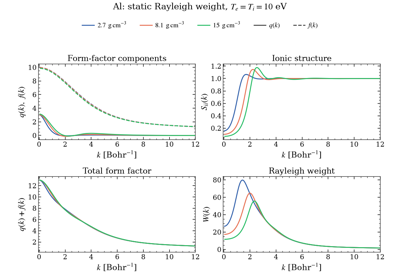
Equilibrium aluminium structure factors: Schörner et al. (2022)
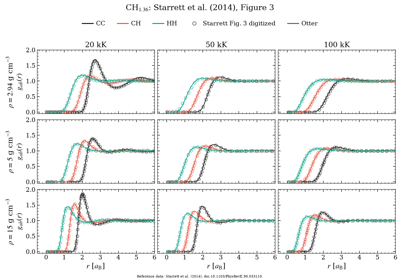
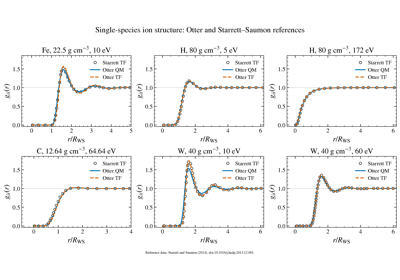
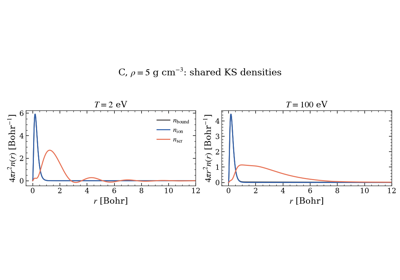
Single-species Starrett–Saumon ion-structure benchmarks
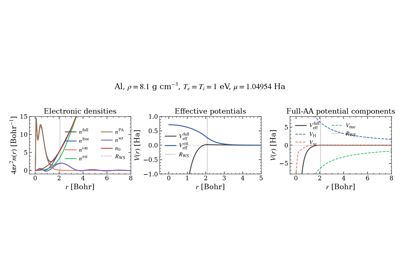
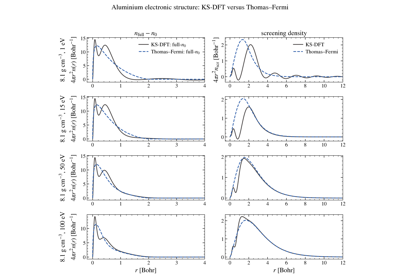
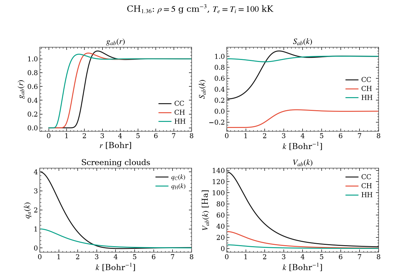
CH1.36: multicomponent electronic-to-ionic workflow